Manage Your Cards with Confidence.
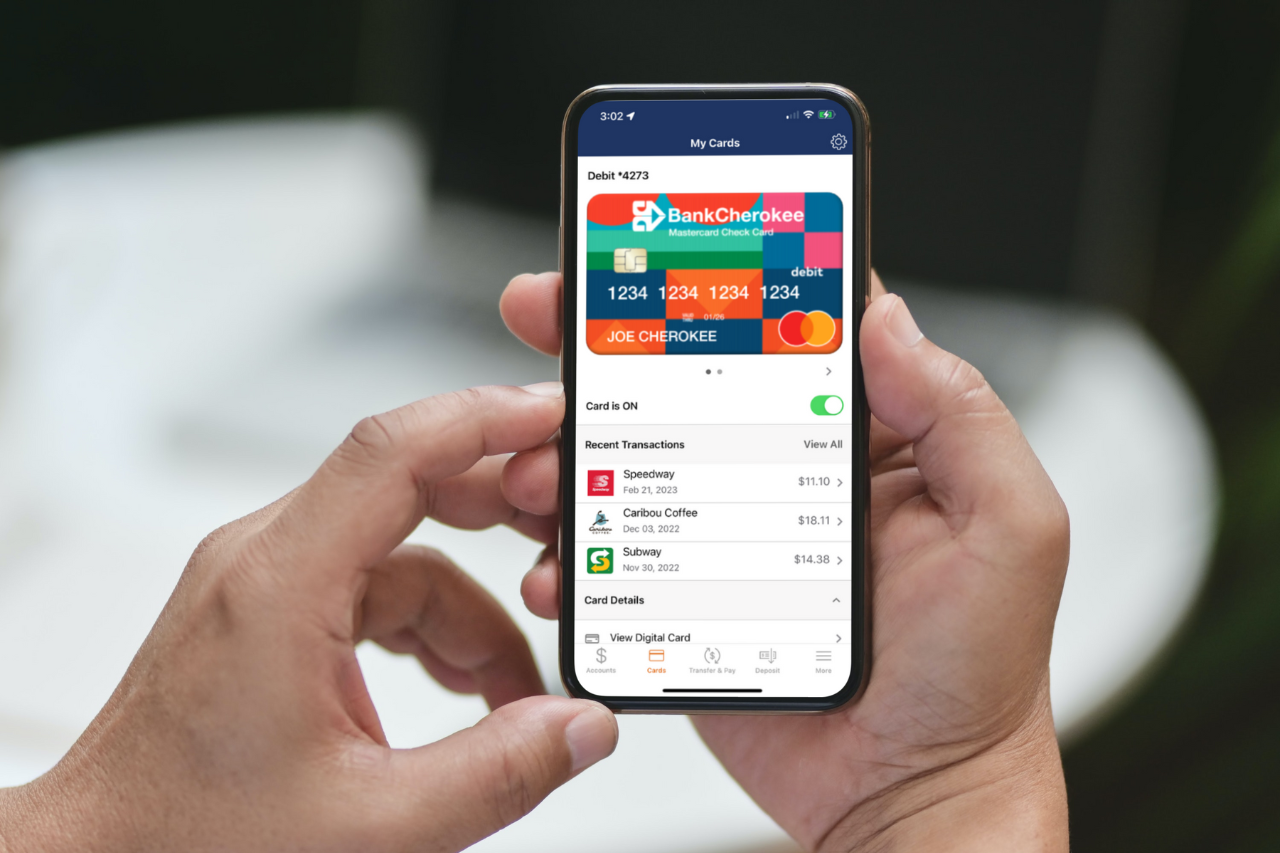
Staying in control of your cards is easier than ever with Card Management in Digital Banking. Card Management gives you convenient access to the tools you need to monitor activity, manage your cards, and help protect against fraud, all from a single location.
With Card Management, you can:
- View card transactions and spending activity
- Easily turn your debit card on or off if it’s misplaced
- Set up transaction alerts to stay informed about card activity
- Add travel plans for consumer debit cards
- Report a card lost or stolen
- Request a replacement card when needed
- Manage eligible consumer within Digital Banking
To access Card Management:
Digital Banking (Desktop)
- Log in to Digital Banking.
- Select Tools.
- Choose Card Management.
Mobile App
- Log in to the BankCherokee mobile app.
- Tap the More (⋯) menu.
- Select Tools.
- Choose Card Management.
Traveling? If you’re using a consumer debit card, you can add a travel plan directly within Card Management. If you’re traveling with a business debit card, please contact our Convenience Banking Center at 651.225.6299 before your trip.